
Electronic call monitoringKnow every call landed
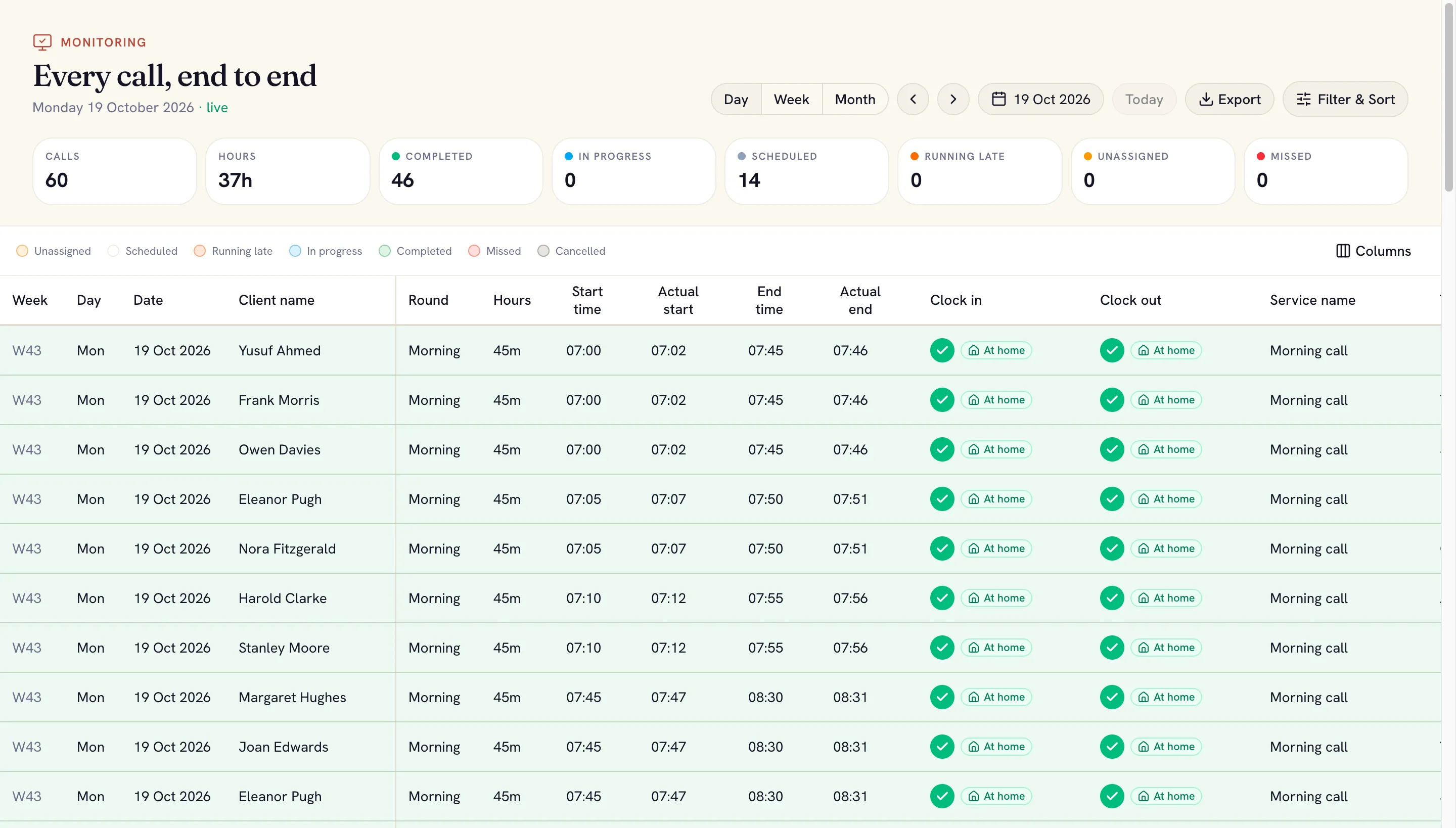
Monitoring shows each visit's clock-in and clock-out against your own thresholds. A late start, a missed call or a visit running over reaches the office while there's still time to act.
What's included
Your own thresholds
Set the early clock-in window, grace periods, the missed-call threshold and the overrun window your agency works to.
Alerts on any screen
Late, missed and overrunning calls appear as alerts with a chime, wherever the coordinator is in SoulCare.
A reason for lateness
Carers who clock in late pick a reason, like traffic or the previous visit running over.
Where they clocked in
Each clock-in is marked as at the home, nearby or far away, so a wrong address stands out.
Phone died? Record it
The office can record a visit for a carer, then check the phone's own data when it reconnects.
Mark as seen
Every alert can be marked as seen with a note of what you did, and stays on record for 90 days.
A live map of the day
See where each carer is, who they're with and where they're heading next, with the road route between homes. Pick one carer to see just their day.
- Carers grouped by with a client, driving, between visits or finished
- Location recorded only during working hours and visits
- Mileage worked out from the actual journey
Questions agencies ask
What is electronic call monitoring?
Electronic call monitoring (ECM) records when a carer arrives at and leaves each visit, so the agency and its commissioners can see care was delivered as planned. SoulCare records each clock-in and clock-out from the carer's phone, with its location, and compares it with the planned visit.
How does SoulCare tell us about a late or missed visit?
You set the grace periods and the missed-call threshold. When a visit crosses one, an alert with a chime appears for the office on any SoulCare screen, and carers can be reminded on their phone too.
Is carers' location tracked all the time?
No. Location is only recorded during working hours and visits, and your agency chooses how long the history is kept.
Works well with
- Pay and invoicingPay runs and invoices priced from the visits that actually happened.
- Inspection readiness and reportsChecks against CQC, CIW and NHS requirements, with a link to the rule behind each one.
- Client and family appClients and relatives see visit times and the care plan, message the office, and relatives can make requests.
See your agency's day in SoulCare
A short demo, set up around an agency like yours.